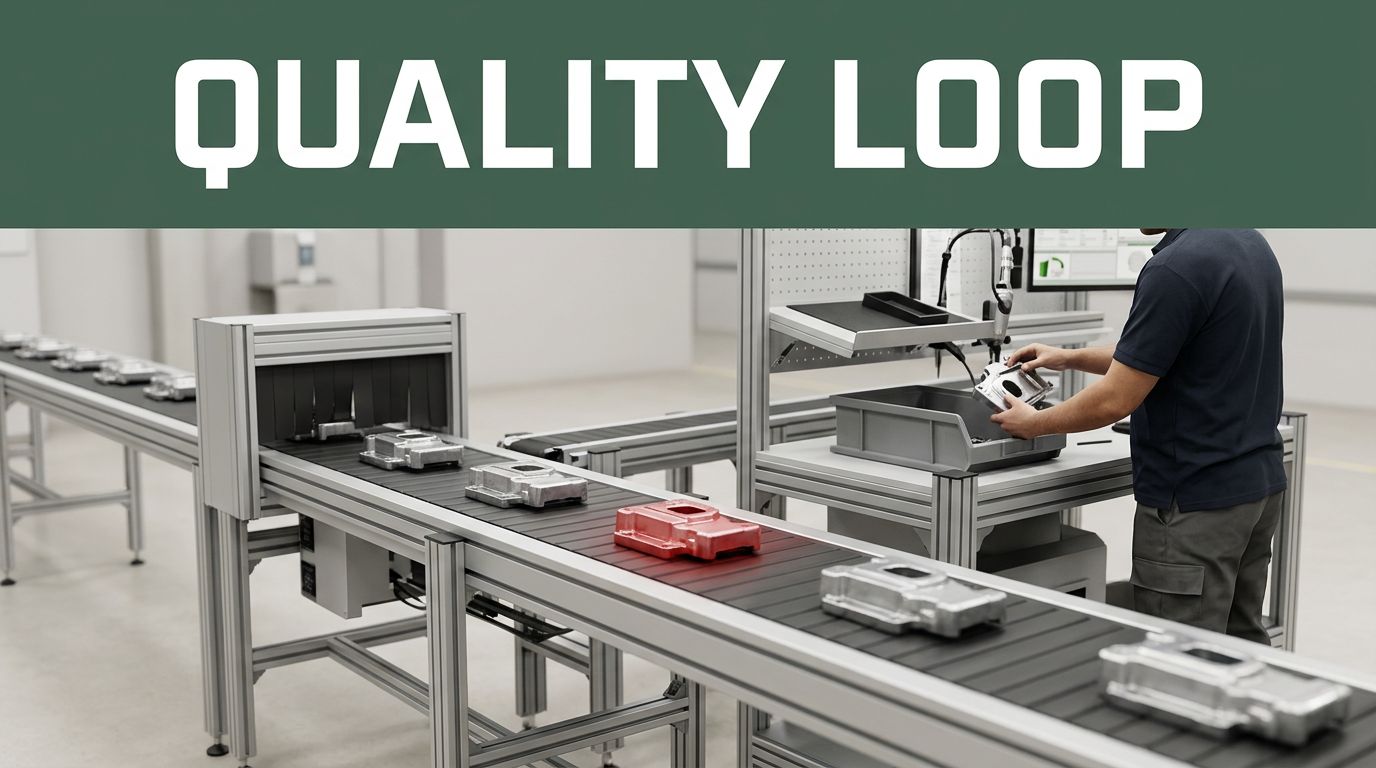
You lose customers when quality fails, but you lose even more money when the same defects come back. Picture a shipment of faulty parts being returned again and again. Each return adds labor, rework, shipping costs, and delays. Worse, teams start chasing the latest symptom instead of stopping the cause.
Recurring quality problems are issues that keep happening, even after you “fix” them once. Often, the fix changes the surface outcome, but the process still creates the defect. In many quality benchmarks, poor quality can cost firms around 10% to 30% of sales through rework, scrap, returns, and warranty work.
The good news is that companies don’t fix this with luck. They fix it with a repeatable loop: track the problem, find the root cause, implement corrective actions, and prevent the comeback using proven methods like PDCA, DMAIC, and 8D.
First, Track the Problem to See the Real Patterns
Most recurring defects hide in plain sight. A team replaces a bad batch, retrains a station, or adjusts a setting. Then the next run looks fine, until it doesn’t. If you don’t track defects over time, you basically run quality like a weather forecast from one cloudy day.
So start with simple, consistent tracking. Define a defect the same way every shift. Log it on a routine schedule. Then look for trends, not one-off events.
Here’s the core idea: you can’t manage what you don’t measure. But you also can’t measure everything. Focus on a short list of the defects that hit customers, cause rework, or tie up production.
Use this approach:
- Define the defect, in plain words (more on this next section).
- Record how often it happens (weekly or monthly is a good start).
- Track where it happens (line, station, tool, shift, operator group).
- Track severity (minor cosmetic vs functional failure).
- Watch the trend, not just the count.
A quick example helps. Suppose “cracked widgets” show up in final inspection. If you only count total cracks per month, you miss the pattern. But if you track by shift and mold cavity, you might find cracks spike after the night shift changes tools.
Graphs make the pattern obvious. A line chart shows whether defects improve or worsen after a change. A bar chart by station shows where the problem clusters. A simple run chart can reveal if the defect rate is drifting.
When companies skip this step, they end up doing “guesswork fixes.” A new process looks good in the short term. Then it fails because nobody proved the defect rate changed for the right reason.
Define Your Defects Clearly
Defect confusion is a quiet cause of recurring quality problems. One team might call a part “defective” for a cosmetic flaw. Another might reserve that word for a functional failure. That mismatch kills data.
To fix it, write a defect definition that matches your work. Keep it short and visual if possible. A defect checklist works best when it answers two questions:
- What exactly counts as a defect?
- What does “pass” look like?
Try a one-page checklist for each high-impact defect. Include:
- A clear name (example: “Cracked housing, length over 10 mm”)
- Simple boundaries (where to measure and what to ignore)
- Photos or reference examples (even phone photos from the floor help)
- The inspection point (incoming, in-process, final)
Also define severity levels. For example:
- S1: Cosmetic only, no effect on function
- S2: May affect fit or performance
- S3: Functional failure, customer-impacting
Once teams use the same definitions, you stop mixing apples and oranges. That matters because root cause analysis depends on accurate data.
Finally, lock the definitions to the same training. When you update a checklist, you also update how people inspect. Otherwise, the defect rate can “change” just because your scoring changed.
Set Up Simple Tracking Over Time
You don’t need fancy software to start. In fact, most organizations should begin with spreadsheets and a steady rhythm. The goal is consistency, not complexity.
Set up a simple tracking sheet with fields like:
- Date
- Product or lot
- Defect type
- Severity (S1 to S3)
- Line and station
- Operator team or shift
- Corrective action taken (if any)
- Notes (what seemed different)
Then review the data on a schedule. Weekly works for fast-moving processes. Monthly works for slower ones.
To see trends, use basic charts:
- A run chart of defect rate over time
- A bar chart of defect count by station
- A pivot-style view by shift or equipment
Here’s a useful mindset. If a defect is recurring, it’s like a stain that returns when you wash the same shirt in the same way. You might scrub harder each time, but the process still puts the stain back. Trend tracking tells you whether your “scrub” actually changed the stain, or just disguised it.
As you track, you’ll also build a timeline. That timeline becomes gold later when you ask, “What changed right before the defect spiked?”
Uncover Root Causes, Not Just Symptoms
This is where most fixes fail.
Teams often treat the defect like a single event. They swap a part, tighten a rule, or add training. But recurring quality problems usually come from a system. That system includes materials, methods, machines, measurements, and people.
A helpful analogy: a car with repeated flat tires might not have a tire problem. It might have a wheel alignment issue, or a damaged rim edge. The flat tire is the symptom. The alignment or rim damage is the cause.
To find the real cause, use the data from tracking. Look for patterns that connect “where and when” to “what process step happened.”
Start simple:
- Are defects clustered at one station?
- Do they spike after maintenance?
- Do they rise with a certain supplier lot?
- Do they appear on one shift more than others?
- Do they increase only after a product changeover?
Then dig deeper with structured root cause methods. Fishbone diagrams (also called Ishikawa diagrams) help you brainstorm categories without stopping at guesses. Root cause analysis should also lead to testable ideas, not “I think” explanations.
And yes, you can do this without slowing everything down. Keep your first RCA short and focused. Then expand if the problem is truly stubborn.
Key Tools for Root Cause Analysis
Pick tools that match the type of problem and the quality of your data.
Common tools include:
- 5 Whys: Great for drilling down from a clear failure mode.
- Fishbone (Ishikawa): Useful for mapping possible causes across people, process, equipment, materials, and measurement.
- Pareto charts: Help you focus on the biggest defect contributors first.
- Trend and control charts: Show whether variation is drifting or spiking.
- Cause-effect matrices: Help you connect suspected causes to defect outcomes.
If you want an example of how a team can use structured thinking for a recurring defect spike, see this root cause analysis example using 5 Whys. Real cases show how teams avoid vague conclusions.
Also, fishbone diagrams work best when you don’t turn them into a list. Use the diagram to guide the next question. Then validate the cause with evidence.
For a practical look at fishbone framing in manufacturing, this fishbone diagram example for manufacturing problems can help teams structure their categories.
The bigger lesson is this: root cause is not a story. Root cause is a reason your process produces the defect.
Build and Roll Out Fixes That Actually Stick
Tracking tells you what’s happening. Root cause tells you why it happens. But many companies stop there, and defects return.
So your fix needs three parts:
- Corrective action (remove the cause)
- Verification (prove the defect drops)
- Control (keep it from coming back)
Start with a corrective action plan that answers the basics. If your plan can’t answer these questions, it’s not ready.
Here’s a planning table you can copy:
| Plan question | What “good” looks like |
|---|---|
| What exactly will we change? | Pinpoint the process step, setting, or handling rule. |
| Why did it happen? | State the verified root cause, in clear language. |
| Where will we apply it? | Identify the line, station, product, or lot scope. |
| Who owns the work? | Name a leader, plus supporting functions. |
| When will it happen? | Set dates for implementation and validation. |
| How much will it cost? | Include labor, downtime, materials, training time. |
| How will we verify? | Define metrics and a target defect reduction. |
Now choose a proven method to run the action plan. Most teams pick one based on size and risk.
PDCA: The Simple Cycle for Quick Wins
PDCA is a fast loop that fits many quality fixes. It works well when you need results soon and you can test changes in small steps.
PDCA stands for Plan, Do, Check, Act. It repeats, so you learn each cycle.
A practical guide like this PDCA cycle guide and template shows the same idea: treat each change as a learning step, not a one-time order.
Here’s how PDCA looks for recurring defects:
- Plan: Define the problem and choose the change to test.
- Do: Run the change on a limited scope (a line, shift, or lot type).
- Check: Compare defect rates before vs after.
- Act: If it worked, standardize it. If not, adjust the plan and repeat.
PDCA prevents recurrence because it forces you to verify. Instead of saying “we trained everyone,” you ask, “Did the defect rate drop, and did it stay down?”
Also, PDCA reduces drama. Your team won’t wait for the “perfect” fix. They will improve in short learning cycles.
DMAIC and 8D for Bigger Issues
Sometimes defects are bigger than a quick test. In those cases, teams use more structured problem-solving.
DMAIC is common in Six Sigma work. It’s built for process improvement where you need measurable performance change.
DMAIC phases are:
- Define: Clarify the problem and customer impact.
- Measure: Collect solid data on current performance.
- Analyze: Identify root cause through evidence.
- Improve: Implement improvements and validate results.
- Control: Lock in results with process controls.
If you want a clear definition and overview, this Six Sigma DMAIC quality improvement framework explains how teams structure each phase.
8D is also widely used for recurring quality problems, especially when you need strong containment and disciplined corrective action. It emphasizes teamwork and documentation.
Typical 8D thinking includes:
- Planning and preparing
- Team formation
- Containment actions
- Root cause identification
- Corrective action implementation
- Preventing recurrence
- Closing the problem with recognition and documentation
For a focused walkthrough of the 8D method, see this 8 disciplines of problem solving for product quality.
Which should you choose? Use DMAIC when you can measure process variation and want a statistical improvement plan. Use 8D when you need a structured response for product or system-level quality issues.
Either way, the key is the same: the fix must change how the process runs, and you must prove it.
Prevent Comebacks: Make Quality Problems a Thing of the Past
Corrective action fixes a past problem. Prevention stops the next one.
To prevent comebacks, you need controls that fit real work. That includes clear instructions, daily checks, shared learning, and supplier discipline.
Start with SOPs (standard operating procedures). But don’t write them like a book. Make them usable. A strong SOP is one page, with pictures, short steps, and the “common mistakes” called out.
Next, use Gemba walks (go to where the work happens). Audit the process, not just the paperwork. During a walk, ask simple questions:
- Are people using the right tool?
- Are settings correct?
- Is the inspection done at the right step?
- Do they understand what to do when a defect appears?
Then share learning across teams and shifts. Recurrence often happens because the day shift learns something, then the night shift repeats the same mistake next week.
Finally, tie prevention to KPIs. Dashboards help when they highlight leading indicators, not only outcomes. For example:
- first-pass yield
- rework hours per lot
- defect rate by station
- supplier lot defect rates
Suppliers matter too. If your supplier sends material that triggers defects, you need early feedback. Communicate quality issues quickly. Set shared standards. If performance doesn’t improve, you might need to switch suppliers.
Some factories report dramatic gains after prevention systems mature, especially when teams cut the time spent reworking and returned goods. The pattern is consistent: prevention reduces both defects and firefighting.
Here’s a simple prevention mindset:
- Reacting teaches you once.
- Preventing teaches you every day.
Daily Checks and Team Sharing
Daily checks keep a process stable. They also catch small drift before it becomes a big defect spike.
Use a short daily routine:
- Verify key settings at start-up.
- Do quick first-piece checks.
- Review defect logs from the previous shift.
- Look for repeating conditions (same station, same tool, same material).
Then share results in a way people will see. A central defect library helps teams find examples fast. A shared folder with photos and “what to check” notes works, too.
The main gotcha is silos. If quality owns the knowledge and operators own the work, the loop breaks. You want shared ownership.
When teams treat audits as blame, they hide problems. When teams treat audits as learning, they surface issues early.
Handle Supplier Glitches Right
Supplier problems show up inside your plant. You don’t always see them until they create defects in your process.
So build a supplier response plan:
- Containment: Stop or quarantine suspect lots.
- Feedback: Send clear defect details, photos if possible.
- Root cause request: Ask what changed in their process or materials.
- Verification: Track your incoming defect rate after changes.
- Decision: If improvement doesn’t hold, switch or redesign the standard.
Early supplier communication prevents “mystery defects” that recur for months. It also reduces waste, because you catch issues before you run full batches.
When supplier fixes hold, you cut rework and protect customer confidence. That’s the real payoff of prevention.
Top Tools Powering Quality Fixes in 2026
In 2026, quality teams still need the basics. But the tooling gets better, and the workflow gets faster.
Modern options often include:
- quick inspection tools (like 3D scanning) to catch variation early
- statistical software for trend views and simple tests
- centralized documents and defect libraries for fast learning
- real-time dashboards that highlight shifts in defect rates
These tools make it easier to move from “we think” to “we know.” They also reduce time spent hunting for old data.
Here’s a quick compare of popular tool categories:
| Tool type | What it helps with | Simple pros | Simple watch-outs |
|---|---|---|---|
| 3D scanning or fast inspection | Finding variation and defects early | Faster checks, better repeatability | Needs correct calibration and good sampling plans |
| Stats and trend software | Proving defects change (or don’t) | Clear charts, faster analysis | Bad inputs create bad conclusions |
| Central defect library | Sharing what “good” looks like | Less rework due to confusion | Must stay updated by a real owner |
| Real-time dashboards | Spotting spikes quickly | Earlier response, better focus | Too many KPIs can distract teams |
The strongest tools still fail if the team doesn’t use them consistently. That’s why the prevention loop matters more than the software itself.
Conclusion: Stop Recurring Defects by Running the Same Loop
Recurring quality problems don’t disappear because teams work harder. They disappear when teams track clearly, find the real cause, implement a verified fix, and prevent the comeback.
Start today with one move: pick your top defect, then improve how you track it over time. Once you see the pattern, root cause work becomes faster and fixes become more confident.
If you want a quick entry point, run a PDCA test on the suspected cause. Then use controls so the change stays in place.
Because those recurring defects are like that returning stain. When you change the process, the stain stops coming back. And your customers notice.